Be sure to check out my ShotGrid tutorial here!
Overview
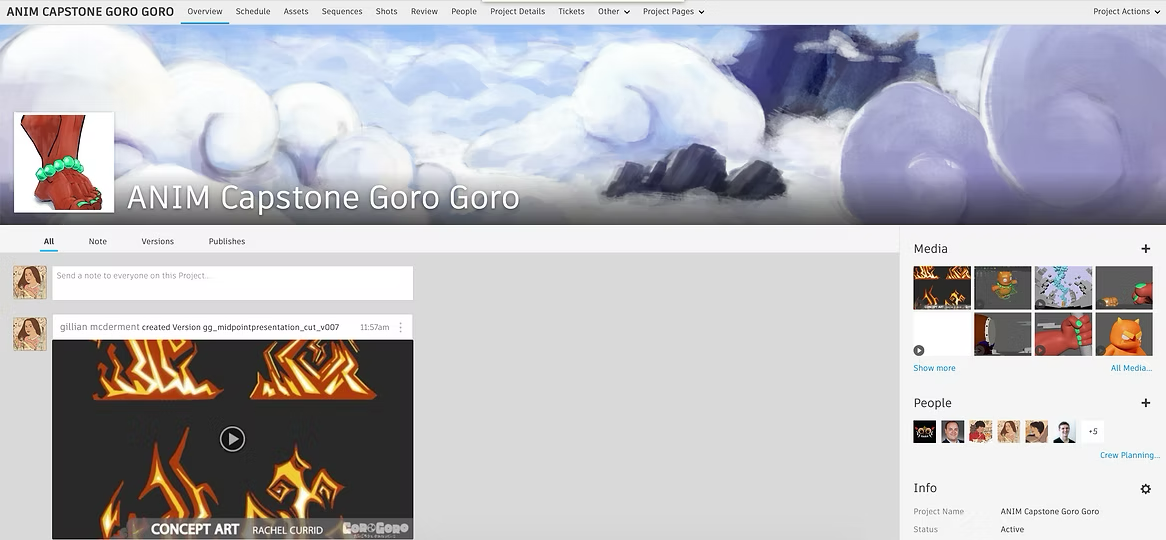
At first glance, our overview page follows the standard layout; the only change I made was to adjust the navigation bar to fit our project's needs.
Review: For quick and easy access to our playlist for class dailies.
People: To see only those who were a part of this project
Project Overview: There were a few unique widgets in this page, including a countdown to our Proof of Concept deadline and a graph that displayed the status of all assets.
Schedule
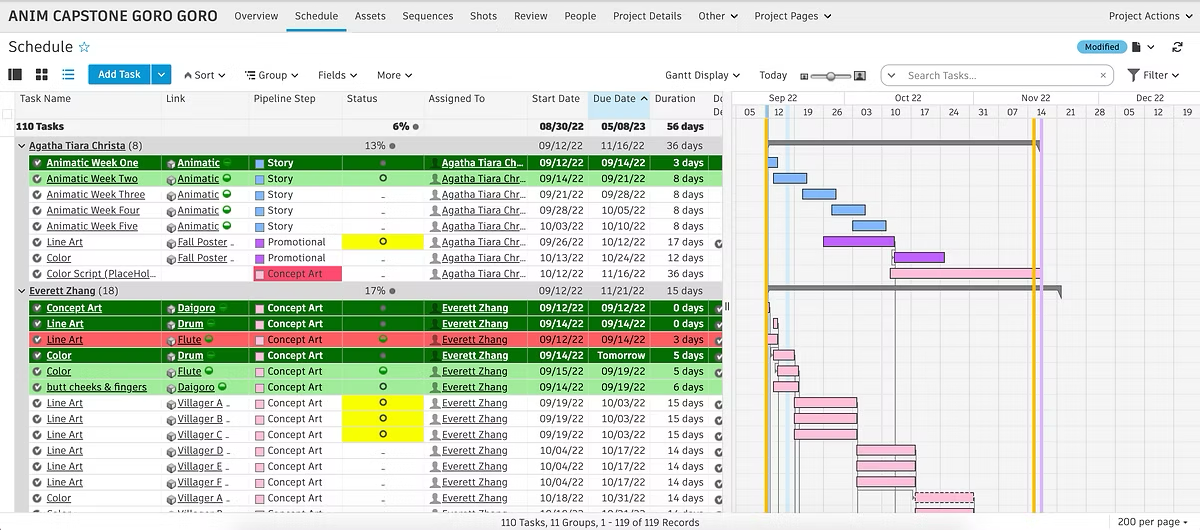
I designed this page so that it would be as accessible to artists as possible, as the goal of this page is for the artist to know their schedule.
Few notable features:
Grouped by artist
Conditional formatting (rows turn dark green when status is final)
Summary (percentage of final assets)
Phases (Start-end of quarters and breaks)
Assets
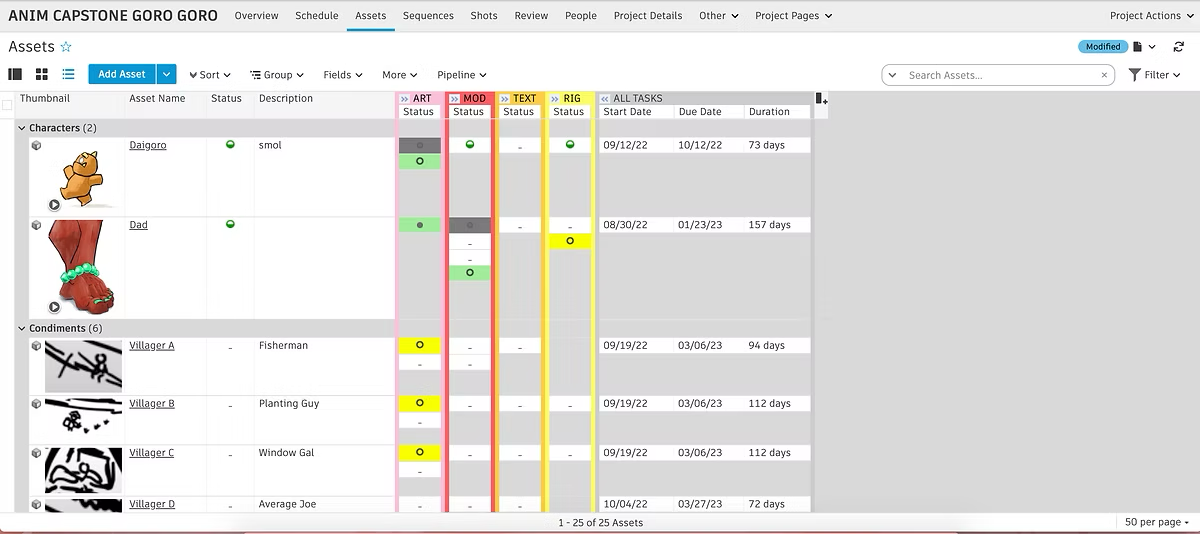
I designed this page layout so I could make more use out of the space on the assets page.
Highlighting pipeline steps and their current status is the most major addition. Additionally, I have the overall start and end date of assets.
Sequences
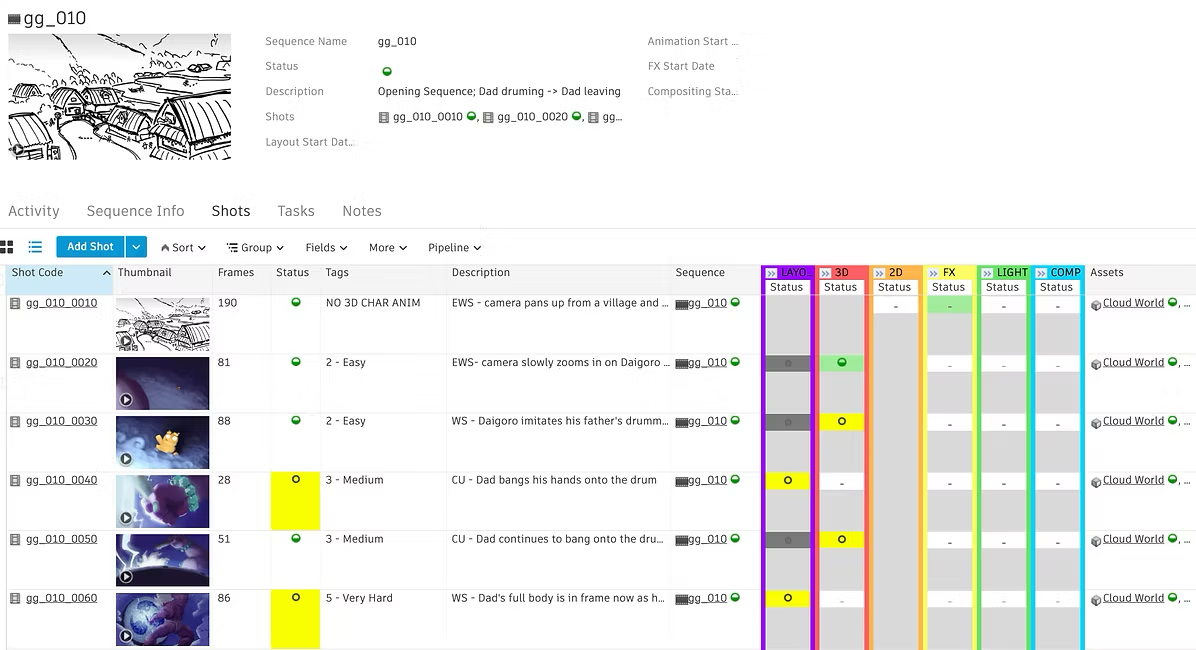
For sequences, I heavily customized the page to make it as easy to understand as possible.
All thumbnails are the color keys, which will help us get a grasp on what the final look of each shot should look like. Once compositing is complete, the thumbnail would be replaced by a composited still.
The shot status would be set to in progress once it has been started in a 3D environment (when the layout has begun).
My favorite custom feature of this page is the pipeline step status. This is excellent for quick access to what the statuses are regarding certain shots. Additionally, they are in a rainbow order to make it easier to read.
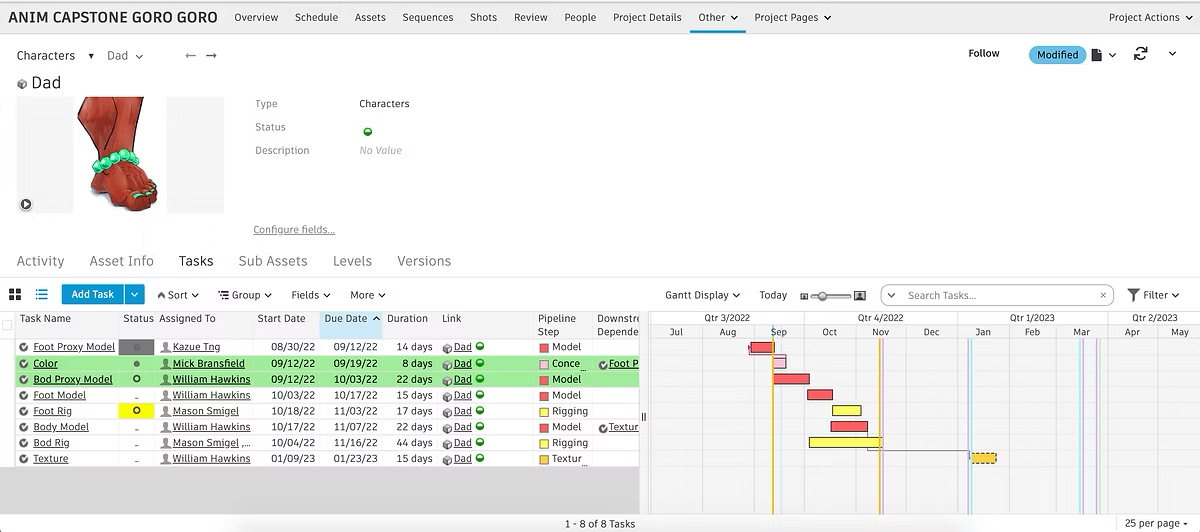
Once again, in this section, you can see the phases as this asset’s production timeline stretches across several quarters.
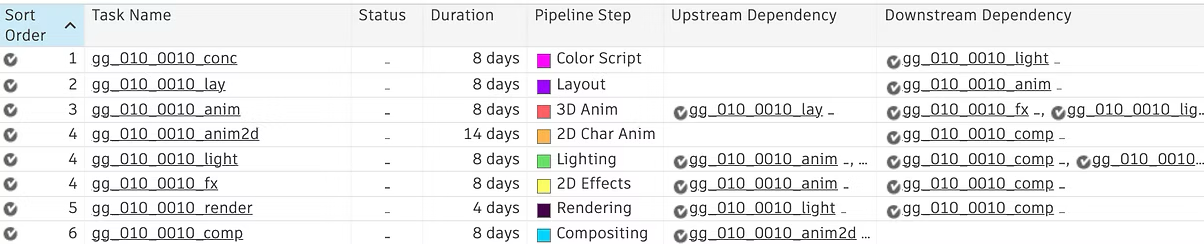
Downstream Dependencies: This helps not only with scheduling but also gives a great visual of how crucial it is for tasks to be completed in a timely manner.
Shot Task Template
To help make things quick and easy on my end, I created a template for all the possible tasks a shot could require.
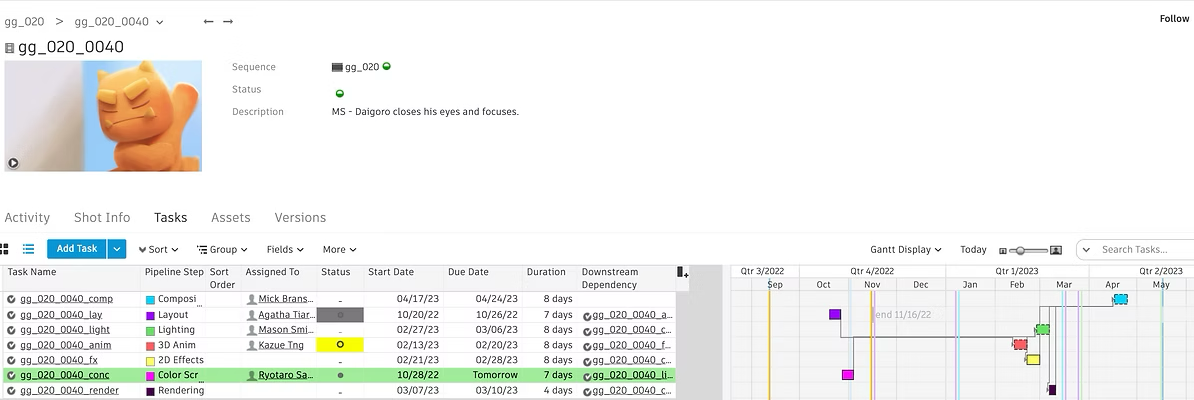
Shot
This is what the shot template looks like in action. There is a clear understanding of what quarters certain steps of the pipeline will be complete, and if one due date is pushed, it's downstream dependencies’ start dates will automatically be pushed.